

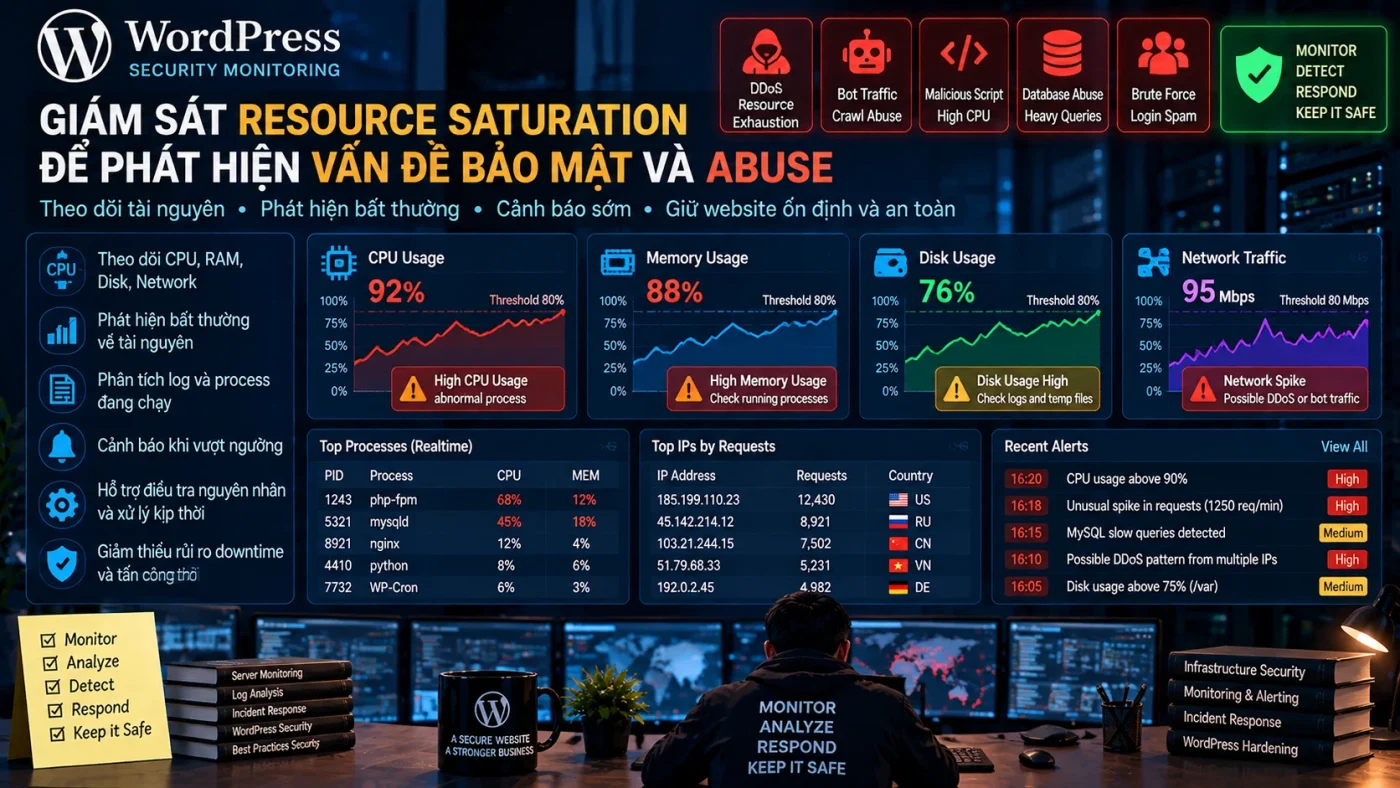
Resource saturation là tín hiệu hỗ trợ điều tra, không phải bằng chứng tấn công. CPU, RAM, disk I/O, connection, worker hoặc queue có thể tăng vì traffic hợp lệ, backup, import, deploy, cache rebuild, query nặng hoặc lỗi ứng dụng. Giá trị bảo mật chỉ xuất hiện khi resource deviation được đặt cạnh baseline, process, request, account, WAF và change context.
Mục tiêu của monitoring không phải cảnh báo khi “CPU > X%”, mà là trả lời: resource nào đang nghẽn, workload/process nào gây tải, deviation có owner hợp lệ không, impact là gì và có security signal nào correlate không?
Resource saturation nên được đọc theo lớp nào?
| Lớp | Signal | Câu hỏi cần trả lời |
|---|---|---|
| CPU | Utilization, load, steal, run queue | Process/workload nào tạo CPU và kéo dài bao lâu? |
| Memory | RSS, pressure, swap, OOM | Có leak/growth/process mới hoặc reclaim pressure không? |
| Disk/I/O | Capacity, inode, latency, IOPS, I/O wait | Log, backup, DB, file storm hay workload nào tạo I/O? |
| Connections | Active/queued/failed connections | Source/service/state nào tăng? |
| Workers/queues | PHP-FPM, web workers, DB pool, job queue | Bottleneck có làm request chờ/timeout không? |
| Telemetry | Agent heartbeat, log ingestion, storage | Monitoring có còn nhìn thấy hệ thống không? |
Baseline theo workload, không theo một threshold chung
Không có ngưỡng CPU/RAM chuẩn cho mọi server. 80% CPU trong vài phút có thể bình thường với import hoặc image processing; 60% CPU kéo dài cùng queue, latency và 5xx có thể nghiêm trọng hơn. Baseline nên phản ánh low/peak traffic, backup, cron, deploy, maintenance và business event.
Baseline cần version/owner/known exceptions; xem Security Monitoring Baseline.
Resource Baseline Matrix
Các field dưới đây là worksheet, không phải ngưỡng mặc định cho mọi website.
| Resource | Baseline cần lưu | Deviation đáng chú ý | Correlate với |
|---|---|---|---|
| CPU | P50/P95 theo workload + process mix | Sustained saturation ngoài known job | Process, traffic, cron, deploy |
| RAM | Working set, cache, swap pattern | Growth/leak/pressure/OOM | Process, restart, error |
| Disk/I/O | Capacity, inode, latency qua backup/deploy | I/O wait hoặc growth kéo dài | Backup, DB, log storm, file changes |
| Connections | Normal concurrency theo service | Connection/queue exhaustion | Request spike, bot/abuse, DB latency |
| Workers | Busy/idle/queue profile | Queue tăng liên tục + timeout | Endpoint, slow query, external dependency |
CPU cao: xem process trước khi kết luận
CPU utilization chỉ cho biết hệ thống đang bận. Cần xem process/service nào dùng CPU, user nào chạy, command/runtime path nào liên quan, có trùng cron/backup/deploy không và traffic pattern có thay đổi không.
CPU cao + request spike trên cùng endpoint khác với CPU cao + process mới không có owner + outbound connection lạ. Trường hợp thứ hai có confidence security cao hơn vì có nhiều signal độc lập.
Memory pressure: chú ý growth và OOM hơn phần trăm đơn lẻ
RAM cao không tự động xấu vì OS dùng memory cho cache. Hãy xem working set, swap activity, memory pressure, process growth, OOM kill, restart loop và latency. Một process tăng dần footprint không theo workload có thể là leak; process mới cùng network/file anomaly cần security triage.
Disk, inode và I/O có thể làm mất cả evidence
Disk đầy có thể khiến database lỗi, log ngừng ghi hoặc monitoring pipeline mất dữ liệu. Inode có thể hết khi còn dung lượng GB. Log/file count tăng đột biến có thể do lỗi loop, debug mode, attack traffic hoặc payload tạo nhiều file.
Monitoring phải cảnh báo trước khi storage saturation làm mất evidence. Nếu log pipeline chết đúng lúc incident diễn ra, confidence điều tra giảm mạnh.
Connections, workers và database pool
Connection count tăng cần tách theo source, destination, state và service. PHP-FPM/web worker/database connection pool hoặc job queue thường lộ bottleneck sớm hơn CPU tổng. Queue tăng liên tục cùng 5xx/timeout là signal impact rõ.
Kết hợp với Traffic Anomaly để xem request nào tạo concurrency.
Operational-vs-Abuse Decision Matrix
| Signal | Operational/legitimate có thể có | Abuse/security có thể có | Evidence cần thêm |
|---|---|---|---|
| CPU spike | Deploy, import, backup | Request flood, malicious process | Process + change + request |
| Memory growth | Cache/workload | Unknown process/payload | Process owner + timeline |
| Disk growth | Backup/log hợp lệ | Log storm, file drop, payload output | Path/file owner + request |
| Connection spike | Campaign/crawler | Flood/scanning/abuse | Source + endpoint + WAF |
| Worker exhaustion | Slow dependency/query | Expensive endpoint abuse | Trace/query/request profile |
Correlation rules có giá trị hơn threshold đơn
- CPU cao + 5xx/latency tăng.
- CPU cao + request spike lệch baseline.
- Memory pressure + process mới không owner.
- Disk/inode growth + file count/path bất thường.
- Connection tăng + WAF event trên cùng endpoint.
- Queue tăng + expensive API/search/login pattern.
- Resource anomaly ngoài maintenance window + config/file/account change.
Rule nên được triển khai theo Security Alerting, có owner và runbook.
Telemetry Health Gate
Monitoring phải theo dõi chính khả năng quan sát của nó. Một resource alert không đáng tin nếu metric/log pipeline bị mất dữ liệu.
| Check | PASS | FAIL |
|---|---|---|
| Metric agent | Heartbeat/current timestamp | Gap/agent stale |
| Log ingestion | Events tiếp tục vào pipeline | Ingestion dừng hoặc backlog tăng |
| Storage | Dung lượng/retention còn đủ | Disk/index full |
| Clock | Time sync đủ để correlate | Timestamp drift lớn |
| Alert delivery | Test notification tới owner | Route/notification broken |
Resource Saturation Record mẫu
Worksheet này dùng để ghi telemetry thật, không phải kết quả mặc định.
observation_id: RESOURCE-YYYY-NNN
asset: ...
window_start_utc: ...
window_end_utc: ...
baseline_ref: ...
resource: cpu|memory|disk|io|connection|worker|db-pool
baseline_profile: ...
observed_deviation: ...
duration: ...
top_process_or_service: ...
known_change: yes|no|unknown
change_ref: ...
traffic_correlation: ...
waf_correlation: ...
file_or_account_correlation: ...
customer_impact: none|degraded|outage
telemetry_health: PASS|FAIL|UNKNOWN
classification: expected|capacity|application-fault|abuse|incident-suspected|unknown
confidence: low|medium|high
next_action: observe|tune|scale|rate-limit|triage|incident-response
owner: ...
evidence_refs: [...]
Triage từng bước
- Xác định resource/bottleneck thực sự, không chỉ metric nổi bật nhất.
- Xem process/service/queue chịu tải.
- Đối chiếu change window, cron, backup, deploy và business event.
- Correlate request/WAF/status/latency.
- Kiểm file/account/process/network anomaly.
- Xác minh telemetry pipeline còn healthy.
- Đánh giá customer impact.
- Chọn action: tuning, scale, rate-limit, investigation hoặc incident response.
Đừng autoscale rồi bỏ qua nguyên nhân
Autoscaling có thể bảo vệ availability nhưng không thay investigation. Nếu workload bất thường là abuse, scale chỉ trì hoãn saturation hoặc tăng chi phí. Ngược lại, nếu traffic hợp lệ vượt capacity, security mitigation quá mạnh có thể block khách hàng thật.
Scale/mitigate phải đi cùng classification và evidence, không phải phản xạ tự động.
PASS/FAIL/HOLD cho resource triage
- PASS — Expected/Capacity: workload có owner/change/business reason, process phù hợp, không security correlation; xử lý capacity/tuning.
- PASS — Abuse identified: source/endpoint/process correlation đủ rõ, mitigation có hiệu lực và origin ổn định.
- FAIL: kết luận attack chỉ từ CPU/RAM cao, không kiểm process/change/traffic hoặc telemetry health.
- HOLD: deviation thật nhưng source/owner/context chưa rõ hoặc telemetry đang thiếu. HOLD cần thu thêm evidence.
Khi nào chuyển Incident Response?
Escalate khi resource anomaly đi cùng compromise evidence, unknown privileged process, account abuse, persistence, destructive activity hoặc availability impact nghiêm trọng đang tiếp diễn. Trước escalation, dùng Security Alert Triage.
Nguồn tham khảo
Kết luận
Resource saturation chỉ trở thành security signal có giá trị khi nối được baseline → resource → process/workload → request/change → impact → telemetry health. Không dùng CPU/RAM cao như verdict. Hãy phân loại nguyên nhân rồi mới quyết định tuning, scale, mitigation hay Incident Response.